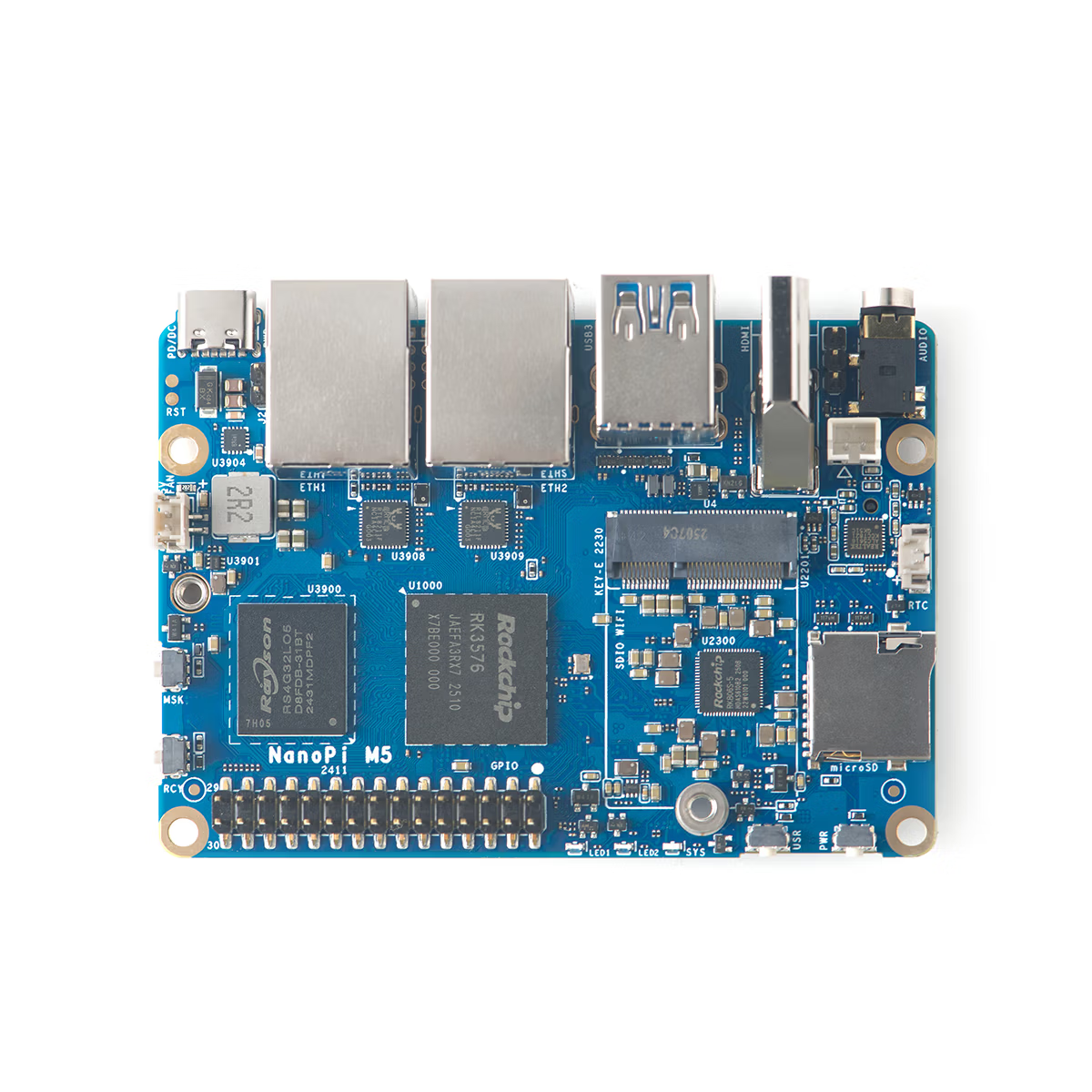
The NanoPi M5 from FriendlyElec is a compact 90×62mm SBC powered by the RK3576 with a 6 TOPS NPU, dual 1GbE ports, and an M.2 NVMe slot. With USB-C power input (6–20V, PD/DC), it offers flexible power options—ideal for router, NAS, or edge AI applications.
FriendlyElec has published product information for the NanoPi M5 on their official store and wiki. This article summarizes the specifications and use cases based on primary sources as of December 30, 2025.
This board features the Rockchip RK3576 SoC with a 6 TOPS NPU, dual 1GbE LAN ports, and an M.2 NVMe slot—all packed into a compact 90×62mm form factor. With USB-C power input (6–20V, PD/DC), it offers excellent flexibility for power design, making it well-suited for router, NAS, or edge AI applications.
The official store offers various configurations including memory options (4GB, 8GB, 16GB), metal case bundles, and UFS 2.0 flash modules (64GB, 256GB). Prices and availability may vary, so check the latest listings when purchasing.
That said, there are some important considerations for expansion, such as the M.2 E-Key being SDIO-connected rather than PCIe.
Specifications
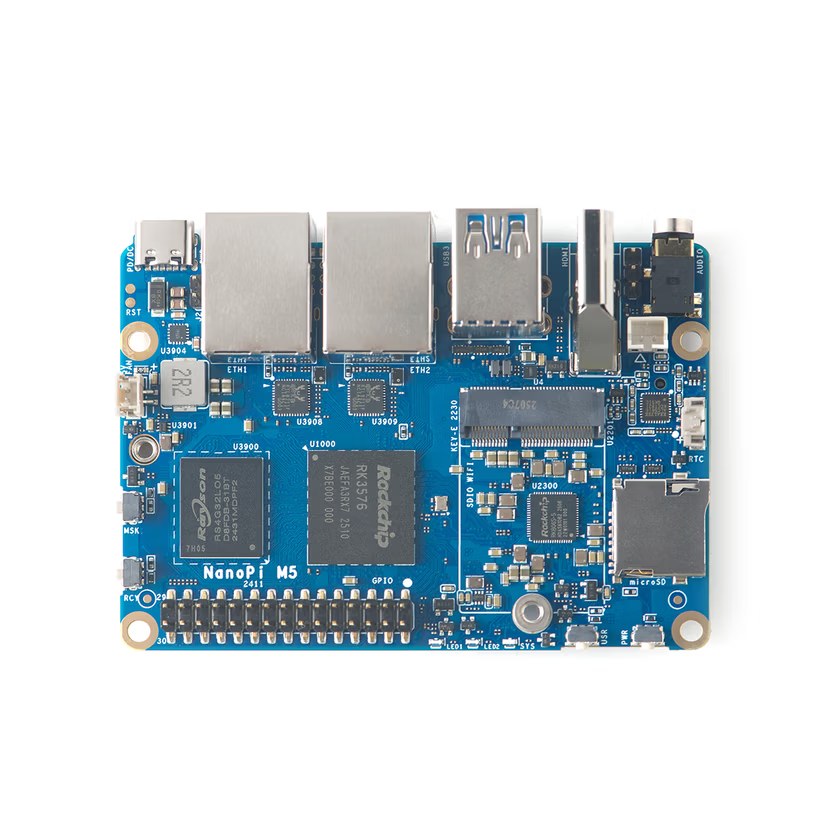
| ■ NanoPi M5 | |
|---|---|
| CPU | Rockchip RK3576 (Cortex-A72×4 up to 2.2GHz + Cortex-A53×4 up to 2.0GHz) |
| GPU | ARM Mali-G52 MC3 |
| NPU | 6 TOPS (INT8) |
| Memory | 4GB LPDDR4X or 8GB/16GB LPDDR5 (SKU selection) |
| Storage | microSD (UHS-I), 16MB SPI NOR, UFS 2.0 (optional), M.2 M-Key NVMe |
| Wired LAN | Dual 1GbE ports |
| Wireless LAN | Optional via M.2 E-Key (SDIO) |
| Video Output | HDMI (up to 4096×2304@60, 1080p@120), 1× MIPI DSI 4-lane |
| Camera Input | 2× MIPI CSI 4-lane |
| USB | 2× USB 3.2 Gen1 Type-A, USB-C (power input) |
| Expansion | M.2 M-Key (PCIe 2.1 x1), M.2 E-Key (SDIO), 30-pin GPIO |
| Power | USB-C (PD/DC, 6–20V) |
| Dimensions | 90×62×1.6mm (8-layer ENIG) |
| Weight | Approx. 58g (without case; approx. 246g with metal case) |
| Case (Optional) | Metal case bundle available; case dimensions approx. 94.5×68×30mm |
| Operating Temp | 0–70°C (ambient operating temperature) |
| Supported OS | Android 14, Debian, Ubuntu, FriendlyWrt, Buildroot, OMV, etc. |
This is a "deployment-ready" SBC combining 6 TOPS NPU × dual 1GbE × M.2 NVMe on a compact 90×62mm 8-layer PCB. The USB-C PD power input (6–20V) also provides wide flexibility in power adapter selection.
Features
SoC, CPU, and NPU
The NanoPi M5 is powered by the Rockchip RK3576 SoC with an 8-core configuration: Cortex-A72×4 and Cortex-A53×4. The GPU is Mali-G52 MC3, and the NPU delivers 6 TOPS (INT8), making it capable of GUI/media processing as well as edge AI inference.
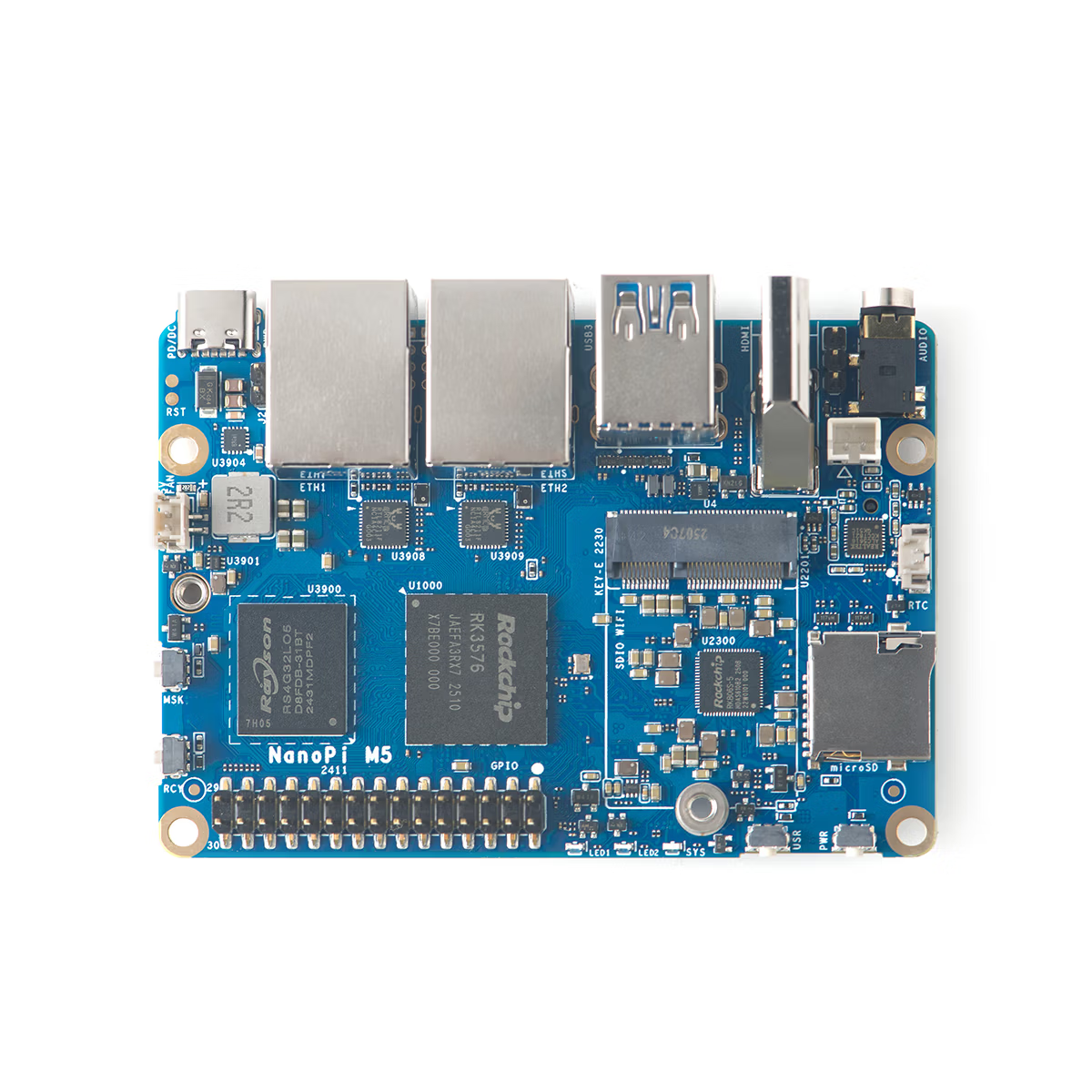
NPU utilization depends on the OS, drivers, and SDK, but the official wiki includes sections on VPU, NPU, and AI-related topics (such as RKLLM). Starting with the official procedures is the most reliable approach.
Comparable products include the Orange Pi 5 series (RK3588S, 6 TOPS NPU) and Radxa ROCK 3C (RK3566, 0.8 TOPS NPU). The NanoPi M5 differentiates itself with its "dual 1GbE + M.2 NVMe + published schematics" combination, making it particularly appealing for router/NAS builds and embedded development.
Memory and Storage
Memory options include 4GB LPDDR4X or 8GB/16GB LPDDR5, selected at purchase. Storage options are diverse: microSD (UHS-I), 16MB SPI NOR, UFS 2.0 (optional), and M.2 M-Key (PCIe 2.1 x1, NVMe compatible).
This configuration makes it easy to start with microSD and migrate the system to UFS or NVMe as needed. The official wiki has comprehensive Getting Started and recovery (Unbricking/Maskrom) procedures, providing the quickest path for initial setup.
Appearance
The top side features M.2 slots and MIPI connectors for camera and display. It's crucial to understand that the M.2 M-Key (for SSD) and M.2 E-Key (for SDIO Wi-Fi) are different—when planning expansion, note that PCIe Wi-Fi cards will not work in the E-Key slot.
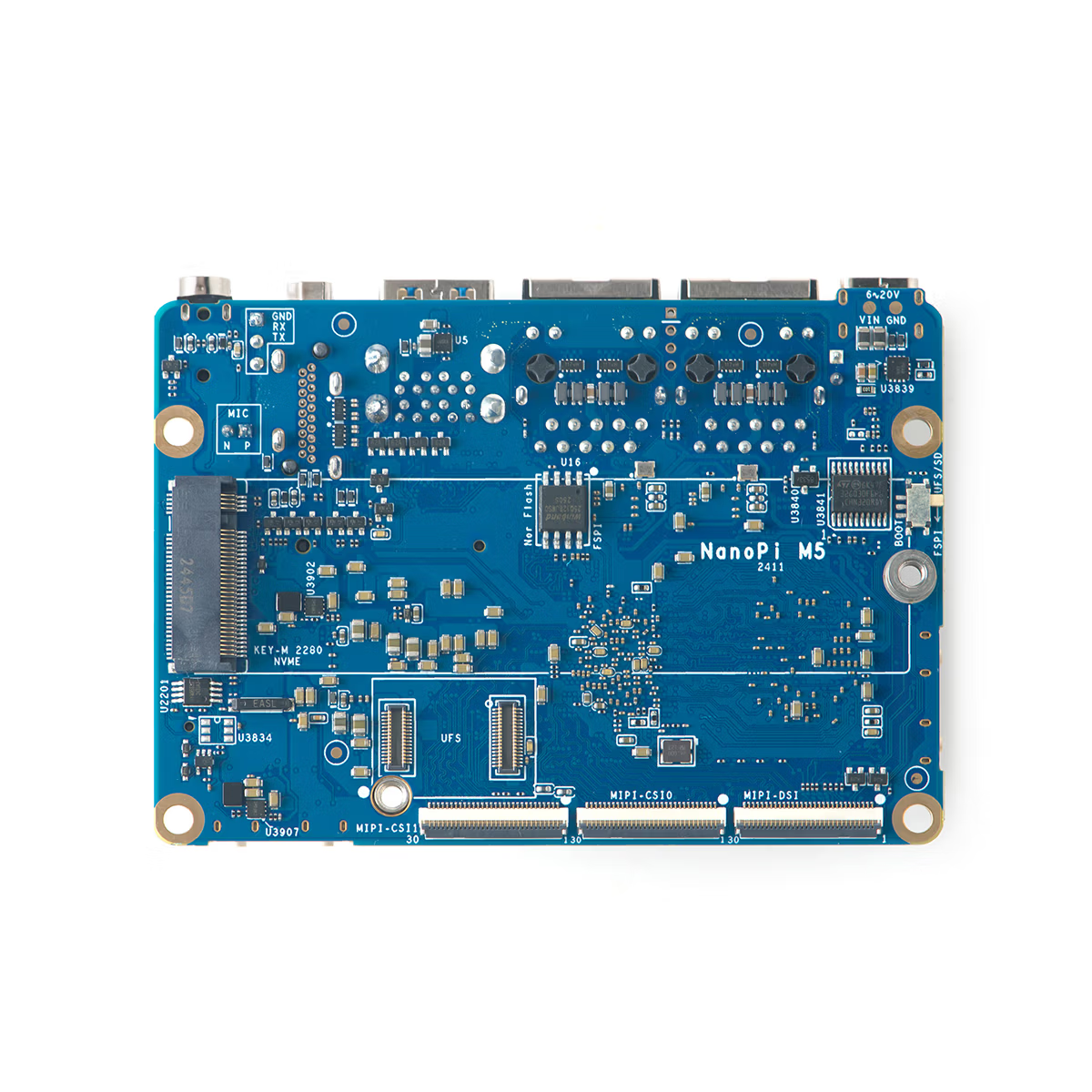
The bottom side shows switches and connector implementations. Boot switch locations and recovery operations are detailed in the official wiki.
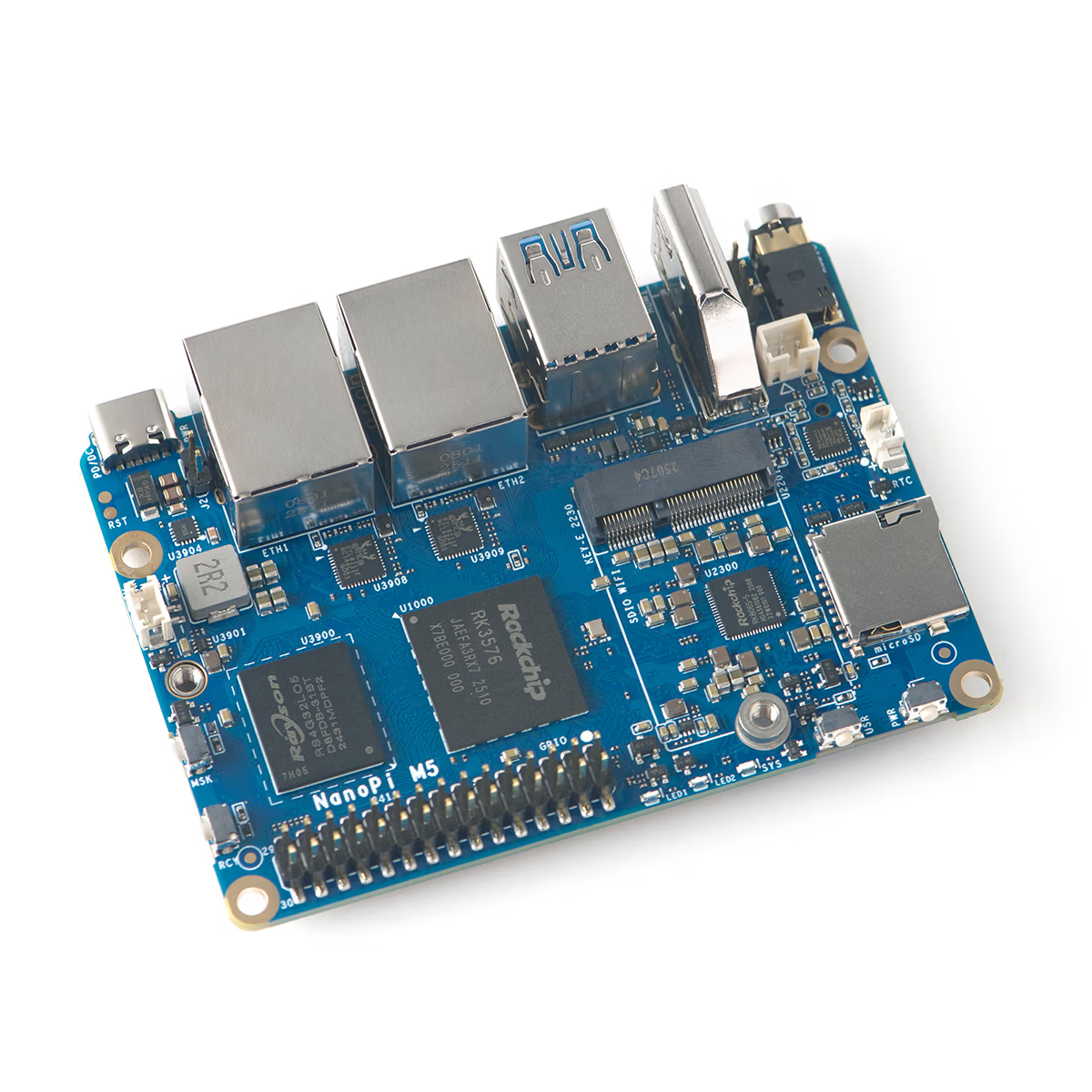
The port side consolidates USB-A×2, dual 1GbE, HDMI, and USB-C power input, making cable routing relatively straightforward. The USB-C (PD/DC, 6–20V) power input allows flexibility in choosing between PD-compatible adapters and DC power supplies.
Additional Details
Networking
Dual 1GbE ports are convenient for router/gateway setups, network segmentation, and simple NAS configurations. While not suited for 2.5GbE requirements, the specs are sufficient for most home use cases.
Wi-Fi is optionally supported via the M.2 E-Key (SDIO connection). Don't assume E-Key means PCIe—you'll need an SDIO Wi-Fi module instead.
Expansion
The GPIO is a 30-pin 2.54mm header exposing I2C, SPI, UART, PWM, and more. Logic level is 3.3V, with power pins providing 3.3V (up to 500mA) and 5V (up to 1A) output. Design peripheral circuits for 3.3V logic, and ensure 5V systems don't exceed the output limits.
Power and Cooling
Power input is via USB-C (PD/DC, 6–20V), offering high flexibility in power design. However, it's safe to choose a power supply with headroom for peripherals.
The official wiki's Getting Started guide recommends USB-C PD chargers rated at 15W or higher. Using this as a baseline helps avoid issues during OS flashing and initial setup.
A 5V fan header is available. For high-load scenarios (AI inference, video processing, NAS workloads), plan for case/heatsink cooling and adequate airflow. The ambient operating temperature range is listed as 0–70°C.
Summary
The NanoPi M5 offers a straightforward combination of RK3576 × 6 TOPS NPU × dual 1GbE × M.2 NVMe, positioned as a compact Linux SBC for router, NAS, and edge AI applications.
It's ideal for those who want to build a router/gateway with dual LAN, set up a simple NAS with M.2 NVMe, or experiment with edge AI inference using the 6 TOPS NPU. The published schematics (for both LPDDR4X and LPDDR5 versions) are also a plus for embedded developers.
On the other hand, it's not suitable for those who want to use PCIe Wi-Fi cards in the M.2 E-Key slot, or those who need more bandwidth than PCIe 2.1 x1 provides. Verify the expansion limitations beforehand to avoid issues later.
| Vendor | Price (Reference) |
|---|---|
| FriendlyElec Official | From US$60 (varies by RAM, case, UFS, etc.) |
Related Links
- Official Wiki (Product Page): https://wiki.friendlyelec.com/wiki/index.php/NanoPi_M5
- FriendlyElec Official Store: https://www.friendlyelec.com/index.php?route=product/product&product_id=309
- Official Downloads (OS & Tools): https://download.friendlyelec.com/NanoPiM5