Boardcon Compact3576: Modular SBC with RK3576 (Key Points to Check Before Buying)
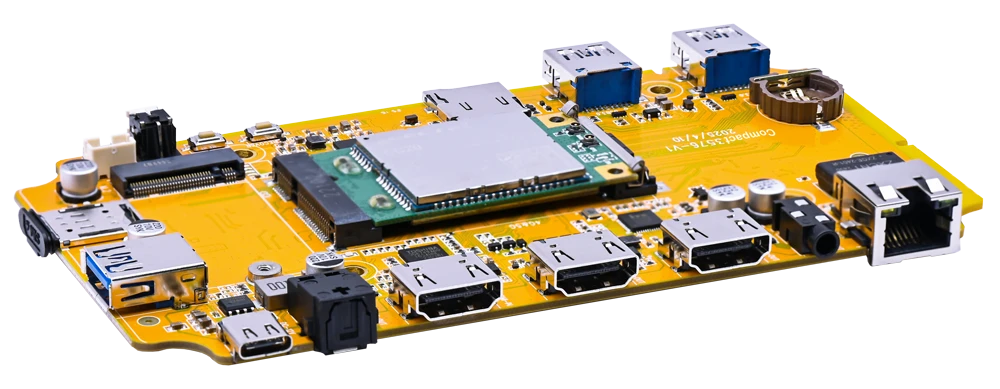
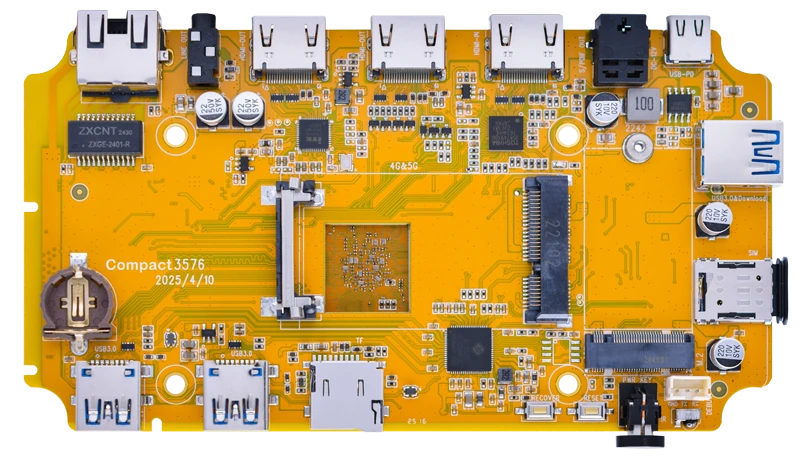
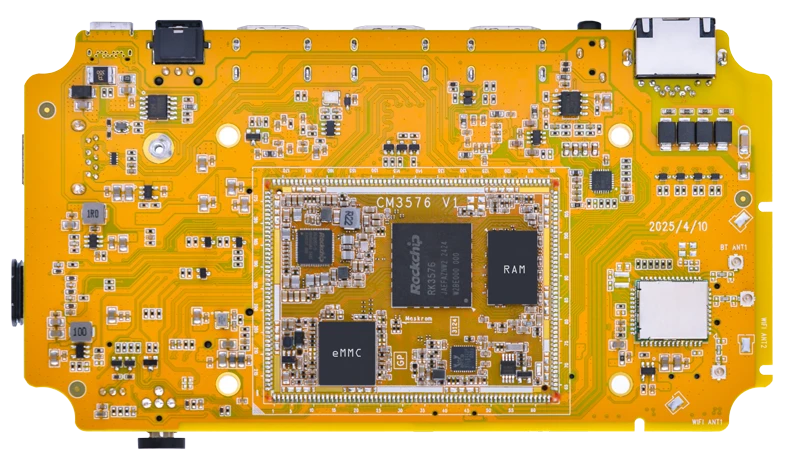
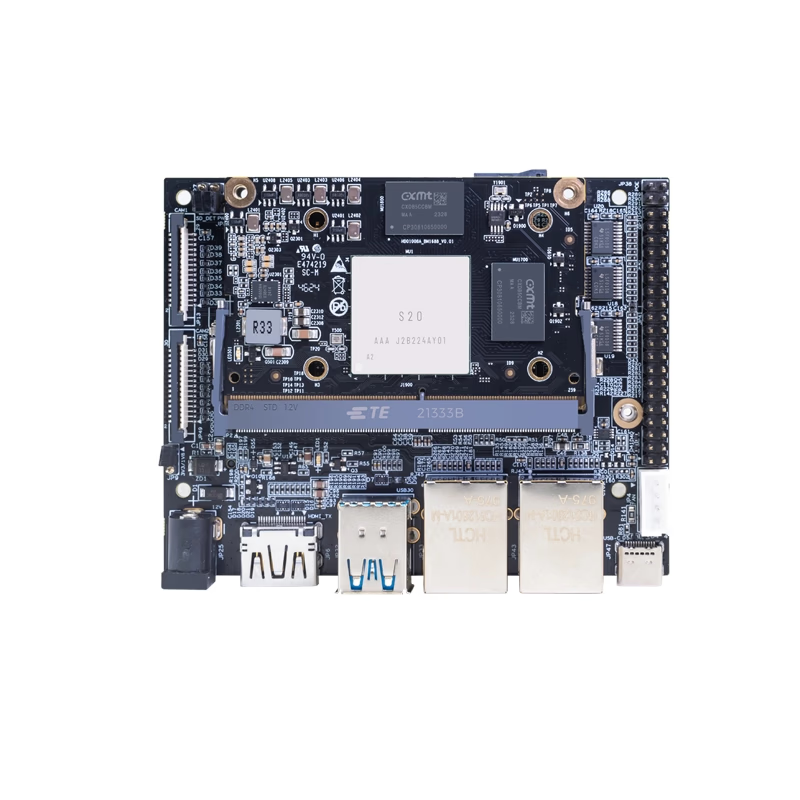
Boardcon Embedded Design has announced the Boardcon Compact3576, featuring the Rockchip RK3576. This modular design separates the SoM and baseboard, targeting mass production and derivative board development. However, at the time of writing, official page information was insufficient, so verifying power, boot, and expansion details before purchase is essential.
Boardcon Embedded Design announced the Boardcon Compact3576 in July 2025. It’s marketed as an SBC featuring the Rockchip RK3576.
The main feature of this board is its modular design, separating the SoM (System on Module) from the baseboard. Rather than being a hobbyist board for casual experimentation, it’s aimed at those looking to scale to mass production or develop derivative boards.
However, at the time of writing (2025-12-30), some pages on the official website were difficult to access, and I couldn’t confirm primary information about power, boot, and expansion—areas where SBC projects commonly run into trouble. This article covers what can be confirmed and what needs verification before purchase.
Unconfirmed (not verified from official primary sources)
NPU
Unconfirmed (not verified from official primary sources)
Memory
Unconfirmed (not verified from official primary sources)
Storage
Unconfirmed (not verified from official primary sources)
Boot
Unconfirmed (not verified from official primary sources)
Network
Unconfirmed (not verified from official primary sources)
Video I/O
Unconfirmed (not verified from official primary sources)
USB
Unconfirmed (not verified from official primary sources)
Expansion
M.2, PCIe, GPIO details unconfirmed (not verified from official primary sources)
Power
Unconfirmed (not verified from official primary sources)
Cooling
Unconfirmed (not verified from official primary sources)
Supported OS
Android, Debian (scope and distribution format unconfirmed)
Form Factor
SoM and baseboard (modular design)
This SBC clearly positions itself as a modular design (SoM and baseboard) with RK3576.
However, since critical details like memory capacity, boot procedures, and expansion requirements couldn’t be confirmed from primary sources, the purchase decision largely depends on whether you can obtain official documentation.
Features
SoC (RK3576) and Modular Design
What can be definitively confirmed from primary sources is that the SoC is the Rockchip RK3576 and that it uses a modular design.
This type of architecture becomes valuable when planning for mass production or derivative boards. It allows you to redesign the baseboard to meet your specific requirements or optimize enclosure and connector placement.
However, I couldn’t confirm from primary sources which components (such as memory and eMMC) are mounted on the SoM side or how this varies by SKU. It’s safer to request a configuration sheet (RAM and storage presence and capacity) before ordering.
Verify GPU and NPU (AI Performance) from Primary Sources First
While secondary sources mention GPU and NPU, this article doesn’t treat them as confirmed specifications. If you’re choosing this for AI applications, you’ll want to first verify the “computation conditions (INT8, etc.),” “supported frameworks,” “SDK availability,” and “sample code and update frequency” from official documentation.
For alternatives, you might consider a Raspberry Pi 5 with an external AI accelerator, or choose an SBC with clearer AI performance specs and BSP documentation. That said, the Compact3576’s main selling point is its SoM separation design philosophy, so evaluating it based on “can this lead to mass production” makes more sense than simple performance comparisons.
Prioritize “Writable and Recoverable” for Boot and Storage
Where SBC projects commonly get stuck is boot media selection, writing, and recovery procedures. Is it microSD, eMMC, or NVMe? How are initial images distributed? Is there documented recovery procedure? Without being able to confirm these from primary sources, you’re likely to encounter setbacks after deployment.
I recommend verifying the Getting Started procedure and OS image (or BSP) availability before purchase.
Expansion (M.2, PCIe, GPIO) Can Become Problematic Without Documentation
Expansion options are convenient when they work but are also prone to compatibility issues.
For M.2, you’ll want to check the Key type (A, E, B, M), supported devices (Wi-Fi, SSD, cellular, etc.), and sizes (2230, 2242, 2280, etc.). For PCIe, generation, lane count, and bandwidth sharing conditions matter. For GPIO, header presence, pin count, voltage levels (1.8V, 3.3V), and pin compatibility approach are important.
Whether you can obtain this documentation (pin definitions, hardware manual) often determines the purchase decision for products like this.
Verify “Minimal Configuration” for Power and Cooling First
Power input (connector type, voltage, PD requirements, current capacity) and recommended cooling (heatsink, fan connector, operating temperature range) are especially important for mass production and long-term operation.
Since these couldn’t be confirmed from primary sources at this time, verifying the recommended conditions before purchase is the practical approach.
The Boardcon Compact3576 is an SBC featuring the RK3576, with its distinctive modular design separating the SoM and baseboard.
It’s suitable for those who want to leverage the benefits of SoM separation with mass production or derivative board development in mind. It’s not suitable for those expecting a Raspberry Pi-like experience of “just boot it up and try it” with available information. Confirming power, boot, and expansion requirements from primary sources is a prerequisite.
Price and availability couldn’t be confirmed from the official ordering page for individual products. If purchasing, it’s best to request a quote along with the configuration sheet (RAM and storage).
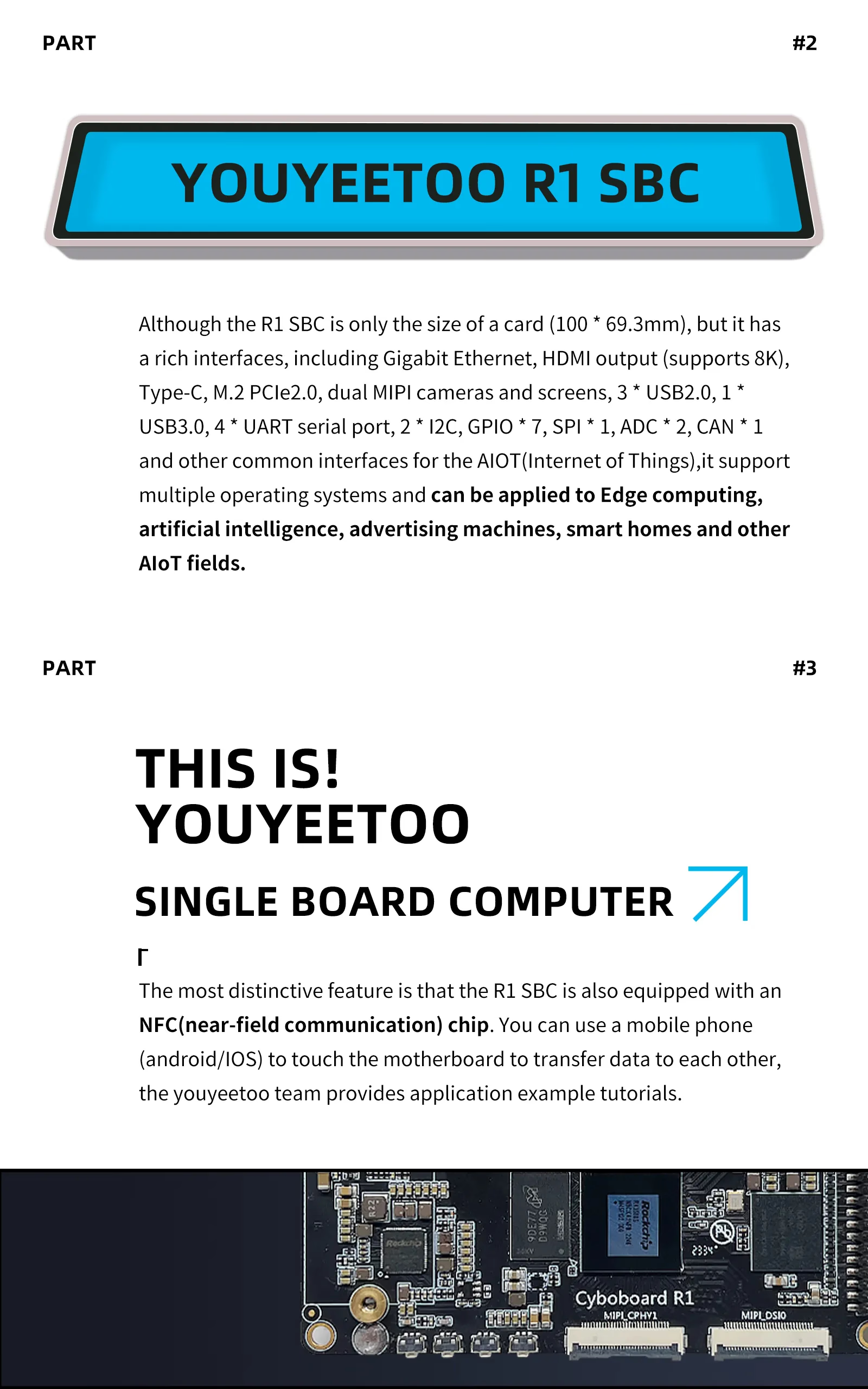
youyeetoo has released the "youyeetoo R1". This AIoT-oriented SBC packs an RK3588S (8-core, up to 2.4GHz), 6TOPS NPU, and M.2 (NVMe/SATA) into a 100×69.3mm card-sized form factor. However, the revision (v3 or earlier) affects M.2 size support and USB 3.0 simultaneous use restrictions, so verification before purchase is essential.
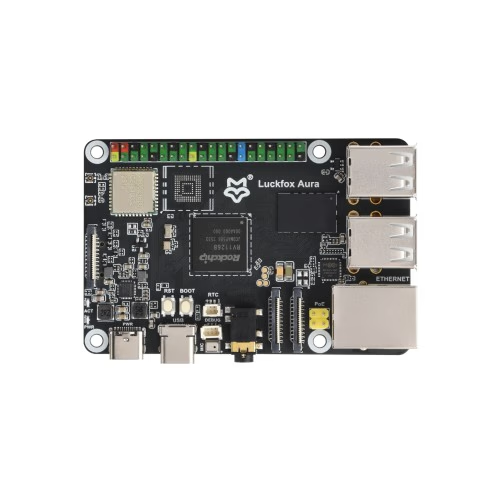
LUCKFOX released the "Luckfox Aura". Powered by RV1126B with 3TOPS NPU and Dual MIPI CSI inputs, it's a small Linux SBC dedicated to edge AI vision. With Wi-Fi 6 and PoE support, it's perfect for surveillance, object detection, and robotics.
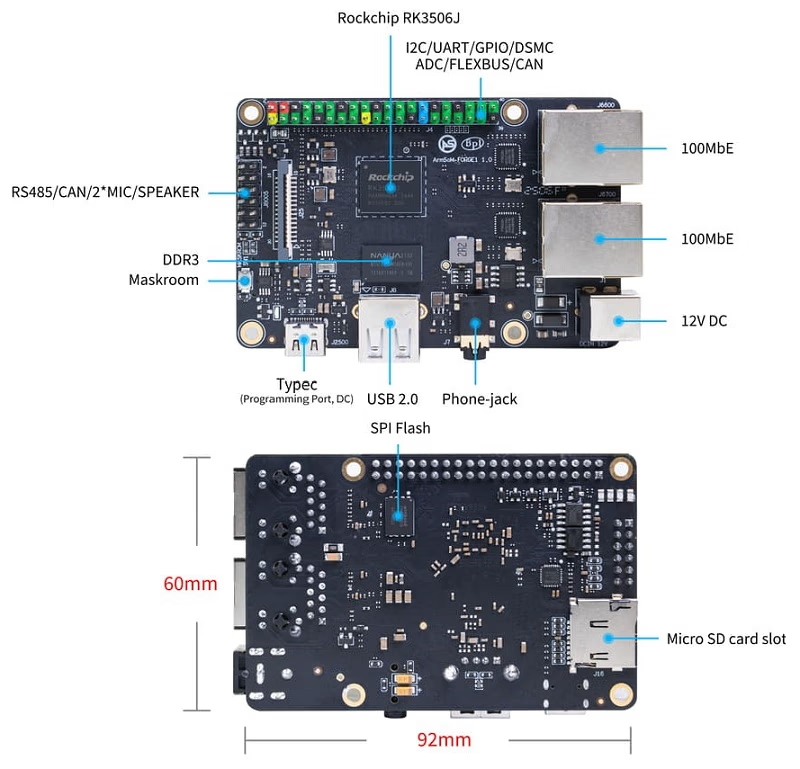
Banana Pi (BPI team) has announced the public sale of the "Banana Pi BPI-Forge1." Powered by the Rockchip RK3506J (Arm Cortex-A7 triple-core), this compact SBC features dual 100MbE ports and control-oriented I/O. While it is clearly targeted at embedded use cases with Buildroot as the primary OS, the 512MB memory and some unconfirmed expansion specifications require careful consideration of your intended use case.
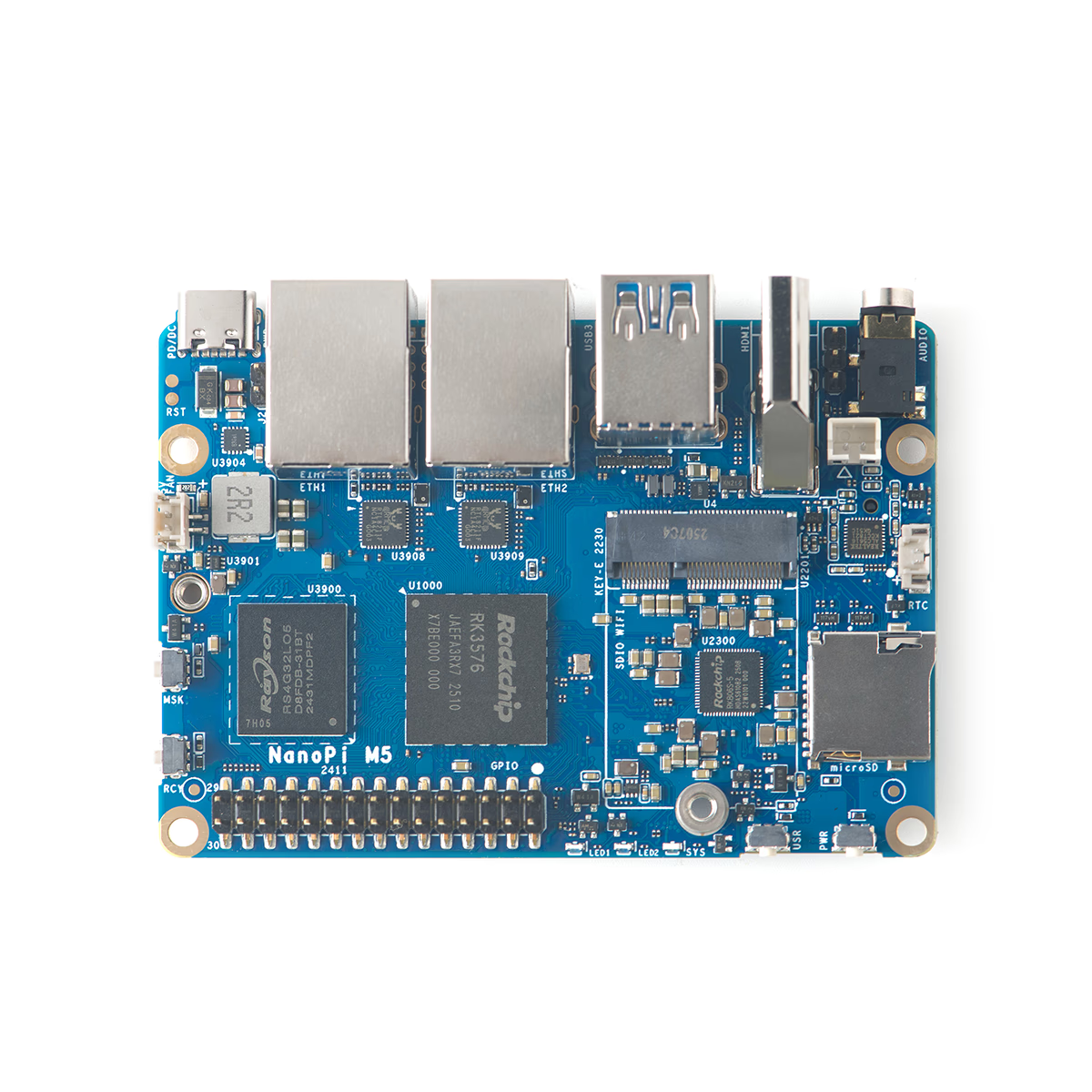
The NanoPi M5 from FriendlyElec is a compact 90×62mm SBC powered by the RK3576 with a 6 TOPS NPU, dual 1GbE ports, and an M.2 NVMe slot. With USB-C power input (6–20V, PD/DC), it offers flexible power options—ideal for router, NAS, or edge AI applications.