8-Core CPU & 3 TOPS NPU in 65×30mm! Radxa Cubie A7Z - Compact Edge AI SBC Specs Review
Radxa has published the product page and official documentation for the "Radxa Cubie A7Z." This ultra-compact SBC packs an Allwinner A733 (Cortex-A76×2 + Cortex-A55×6) and a 3 TOPS-class NPU into a 65×30mm form factor, complete with Wi-Fi 6 and Micro HDMI. However, wired LAN and M.2 require expansion, and PCIe is limited to Gen3 x1 via FPC, so checking whether it fits your use case beforehand is recommended.
Radxa has published the product page and official documentation for the Radxa Cubie A7Z. The Product Brief (Rev 1.1) is dated August 26, 2025, though the official announcement or release date could not be confirmed from primary sources.
This board packs an Allwinner A733 (Cortex-A76×2 + Cortex-A55×6) and a 3 TOPS-class NPU into an ultra-compact 65×30mm SBC. It includes Wi-Fi 6 and Bluetooth 5.4, Micro HDMI (up to 4K@60), and other features that make it surprisingly self-contained.
However, there’s no onboard wired LAN or M.2, and expansion relies on PCIe FPC (PCIe 3.0 x1). Let’s examine the specs to see if this trade-off for compactness fits your needs.
Imagination BXM-4-64 (OpenGL ES 3.2, Vulkan 1.3, OpenCL 3.0, etc.)
NPU
3 TOPS (product page also mentions Vivante VIP9000)
Memory
Onboard LPDDR4/4X 1GB–16GB (by SKU)
Storage
microSD (TF) and optional onboard UFS 3.0
Wireless
Wi-Fi 6, Bluetooth 5.4, external antenna (IPEX)
Wired LAN
No onboard RJ45 confirmed (PCIe expansion mentioned)
Video Output
Micro HDMI (up to 4K@60), USB-C DP Alt Mode support noted
Video Codec
Decode up to 8K@24 (H.265/VP9/AVS2), Encode up to 4K@30 (H.264/H.265)
USB
2× USB-C (one for USB2 power/data, one for USB3 with DP Alt Mode)
Expansion
PCIe 3.0 x1 (FPC), 40-pin GPIO, MIPI CSI, fan connector
Power
5V input (USB-C, recommended 5V/1A) or GPIO 5V pin
Operating Temp
Recommended ambient 0–50°C
Supported OS
Debian, Android 13 (official images available)
Dimensions
65×30mm
This ultra-compact edge AI SBC packs an 8-core CPU and 3 TOPS-class NPU into 65×30mm, with Wi-Fi 6 built-in for wireless-first operation.
However, PCIe expansion is limited to Gen3 x1 via FPC, and NVMe is currently noted as “limited to expansion storage use.” Let’s look at the “trade-offs” that come with this compact design.
Features
SoC, CPU, and GPU
The heart of the Cubie A7Z is the Allwinner A733. With 2× Cortex-A76 and 6× Cortex-A55 cores, this 8-core configuration provides plenty of CPU headroom for a compact SBC.
At this size, what matters isn’t just “fast inference” but whether the CPU can handle preprocessing (color conversion, resizing), stream control, and light services running in parallel. Having the A76 cores is a welcome feature in this regard.
The GPU is the Imagination BXM-4-64, with Vulkan 1.3 support noted. This isn’t meant for gaming but rather as support for rendering, compositing, and light GPGPU tasks.
NPU and AI Performance (Understanding the 3 TOPS Rating)
The primary sources list the NPU at 3 TOPS. However, the product page also mentions the implementation name “Vivante VIP9000,” showing some inconsistency in official documentation.
In such cases, rather than asserting a specific implementation name, it’s safer to evaluate the board as a 3 TOPS-class NPU-equipped SBC for practical purposes. TOPS figures vary depending on operation types and measurement conditions, so working backward from “what you want to run” is more useful than simple number comparisons.
From a competitive standpoint, alternatives include adding an external AI accelerator to a Raspberry Pi 5, or NPU-integrated SBCs like Orange Pi variants. However, the Cubie A7Z differentiates itself with its 65×30mm physical footprint and wireless-ready standalone capability.
Memory and Storage (microSD and Onboard UFS)
Memory is onboard LPDDR4/4X, with SKUs ranging from 1GB to 16GB. Since this isn’t user-replaceable, choosing the right SKU upfront for your use case is important.
For storage, microSD (TF) is standard, with optional onboard UFS 3.0. The official Docs provide Debian images and setup instructions for both microSD and UFS, indicating both are officially supported deployment paths.
Note that the maximum capacity for onboard UFS varies in official sources. The product page and Product Brief mention up to 512GB, while official Docs mention up to 1TB. Verify the SKU specifications at purchase.
Power and Thermal Design (5V Design)
Power input is 5V via USB-C, with GPIO 5V pin power also documented. USB-C power is recommended at 5V/1A, but since compact boards are more sensitive to power quality, using quality cables and power supplies with some headroom is advisable.
The recommended ambient temperature is 0–50°C, with clock and voltage adjustments to keep CPU temperature below 85°C. Documentation suggests operation without additional cooling for typical use cases, but sustained high loads or high-temperature environments may require additional cooling. A fan connector is provided, so planning for a heatsink and 5V fan from the start is wise for enclosure deployments or continuous inference.
Expansion (PCIe FPC and NVMe Notes)
The primary expansion interface is PCIe 3.0 x1 via FPC connector. No onboard M.2 connector was confirmed, and official Docs describe connecting NVMe SSD via a “PCIe to M.2 M Key HAT.”
However, official Docs note that NVMe is currently limited to expansion storage use, with full functionality under development. Avoid designs that assume NVMe boot, and set expectations at “additional storage if it works.”
The 40-pin GPIO header supports UART, I2C, SPI, PWM, etc., but pin multiplexing and Device Tree configuration may prevent simultaneous use of certain functions. Even if the header looks compatible, board-specific quirks require verification before implementation.
Networking and Video (Wireless-First Design)
Networking centers on Wi-Fi 6 and Bluetooth 5.4, with external antenna ports (IPEX). Having external antenna support built-in is beneficial for compact devices where range and enclosure placement matter.
On the other hand, no onboard RJ45 wired LAN was confirmed in primary sources. The product page suggests PCIe expansion for 2.5GbE Ethernet, but LAN-required use cases need to factor in expansion boards, power consumption, and bandwidth limitations (PCIe x1).
Video output is Micro HDMI at up to 4K@60, with DP Alt Mode noted for USB-C. The Product Brief lists video decode up to 8K@24 and encode up to 4K@30, making this noteworthy for inference plus video processing workloads. However, details on simultaneous output and driver dependencies can’t be fully confirmed from primary sources, so this article notes it as “supported per documentation.”
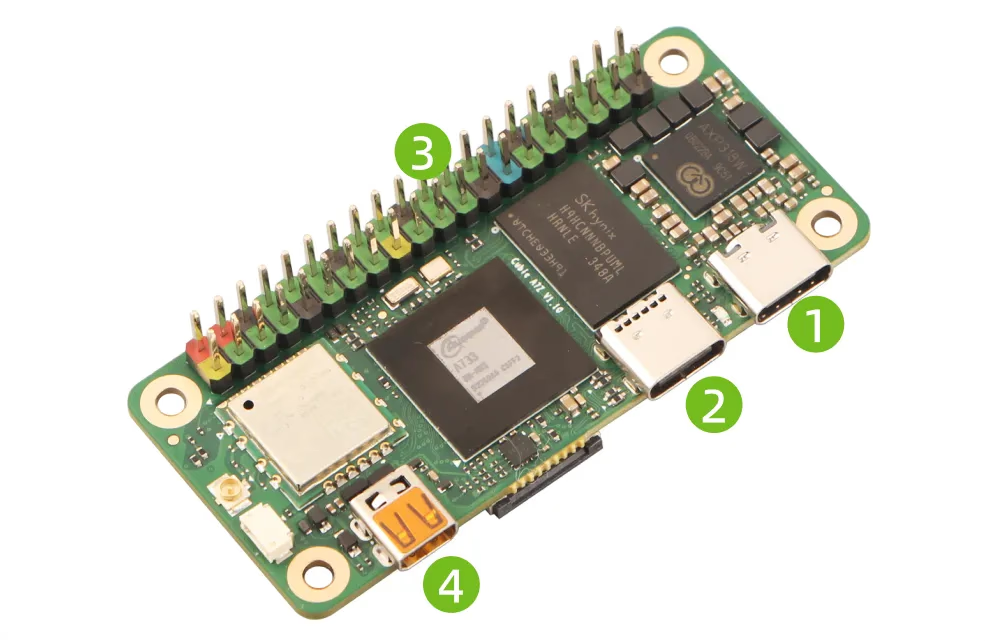
The Micro HDMI and USB-C ports are grouped on one side, making desktop cable management straightforward. This layout also suggests the compact size was achieved by omitting larger connectors like RJ45.
The bottom view reveals component density and trace routing. At 65×30mm, planning mounting methods and insulation (standoffs, enclosure clearance) early with actual hardware is advisable (mounting hole specs not confirmed in primary sources).
Summary
The Radxa Cubie A7Z is a compact edge AI SBC packing an Allwinner A733 and 3 TOPS-class NPU into 65×30mm, with wireless (Wi-Fi 6, Bluetooth 5.4) and video (Micro HDMI 4K@60) covered from the start.
It’s well-suited for compact AI cameras, audio/sensing edge devices, and use cases where the size trade-offs (no LAN, FPC-based expansion) and thermal/mechanical challenges are acceptable. Conversely, those who need “wired LAN required” or “NVMe boot” should design the complete system including expansion HATs first.
For purchasing, Radxa directs to regional distributors. No official direct store was confirmed in primary sources.
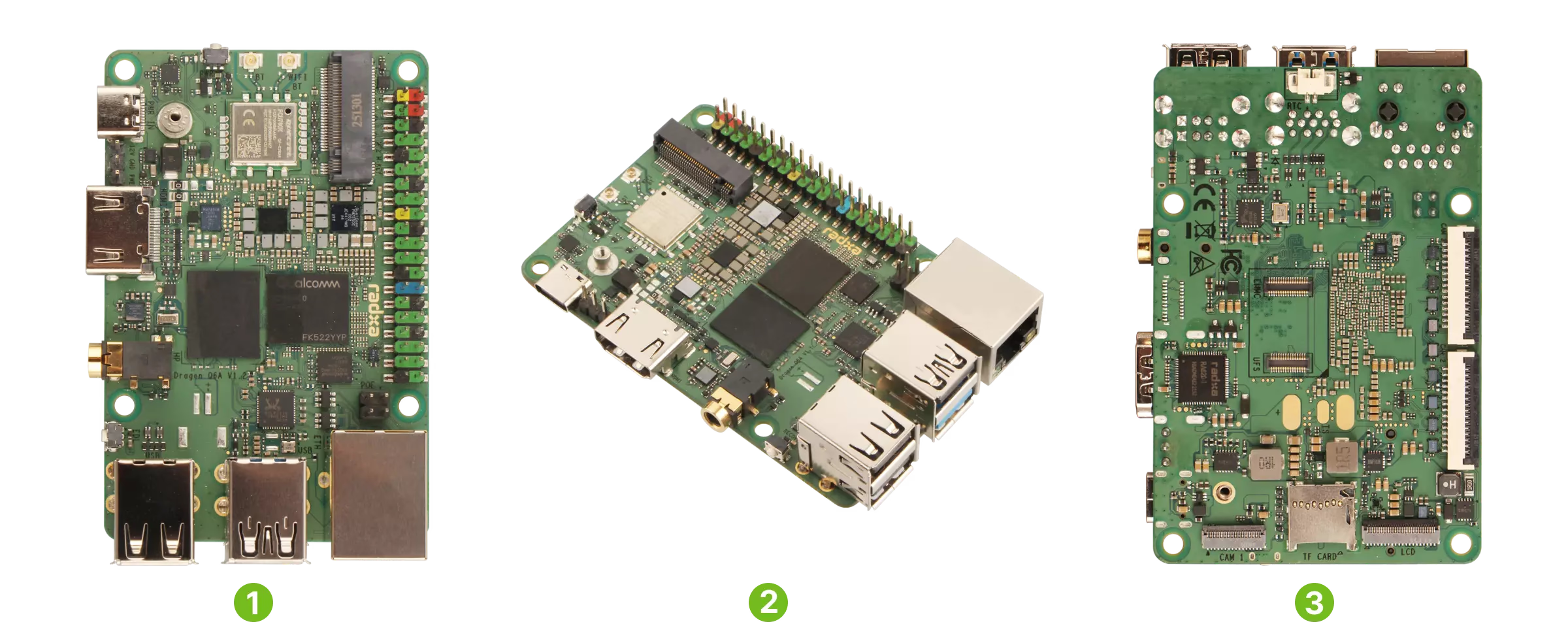
Radxa has published the "Radxa Dragon Q6A" on their official page and Product Brief (Rev 1.4, updated October 24, 2025). This industrial SBC packs Qualcomm QCS6490, Wi-Fi 6, Bluetooth 5.4, 3 MIPI CSI ports, and M.2 2230 NVMe into an 85×56mm form factor. However, AI performance and cooling requirements depend on OS/SDK and implementation conditions, so checking the official Docs before deployment is recommended.
Banana Pi has released product information for their AI-focused core module "Banana Pi BPI-SM9". Equipped with SOPHGO BM1688 and rated at up to 16 TOPS (INT8), the official documentation emphasizes video analytics applications such as decoding and analyzing multiple HD video streams. However, there are inconsistencies in official sources regarding power (5V/12V), dimensions, and GbE port count, so verify whether you are purchasing the module alone, IO board, or kit before ordering.
As of December 29, 2025, we could not find a dedicated product page or official documentation for the "Radxa NIO 5A" from Radxa official primary sources. This article organizes what we could verify about the NIO series positioning from primary sources, how to find purchase options through official distributor listings, and the checklist of unverified items from an SBC perspective.
In July 2025, Canonical officially announced that ESWIN Computing's EBC77 Series now supports Ubuntu 24.04 LTS. This SBC features a 64-bit OoO RISC-V CPU and an in-house developed NPU, making the RISC-V + Ubuntu + AI combination a notable highlight. However, detailed specifications for I/O, power, and other aspects remain unconfirmed in official primary sources, so additional research is needed before deployment.